QR Code 101: QR code best practices for your business
How does your brand get the most out of QR codes? We break it down.
-
 The MOO Team

Share the post


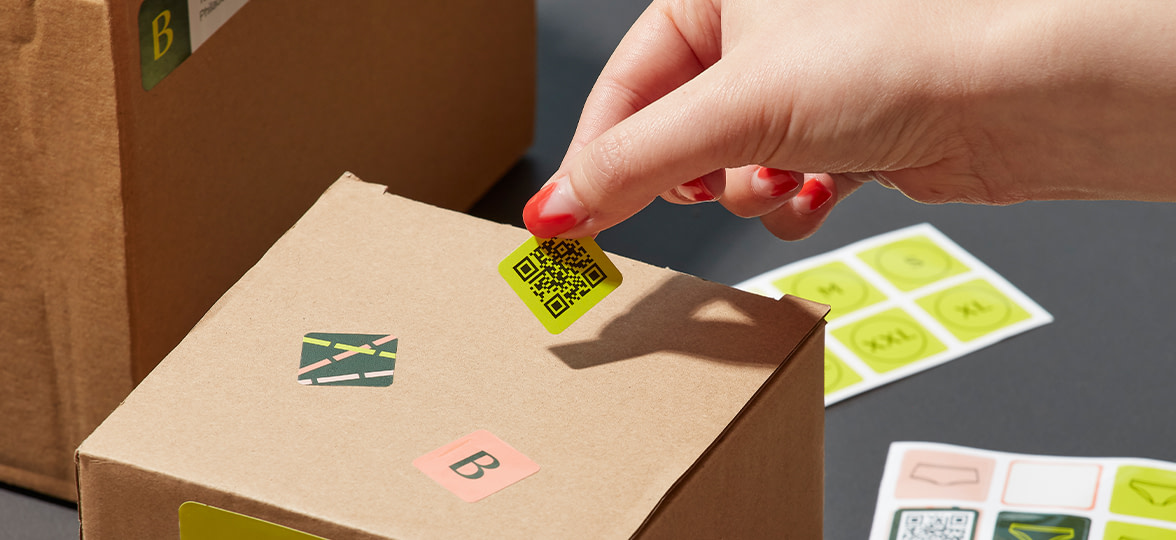
QR codes are everywhere. On menus, packaging, Posters, Business Cards, event stands, product labels, Stickers and more. Basically, if there’s a place where print meets digital, there’s probably a QR code nearby doing its little square-shaped thing.
Here’s a handy guide for all things QR code. We’ll even tell you what a QR code is, how to use them for your brand and QR code best practices.
What even is a QR code? We’ll tell you
QR stands for “quick response”, and it’s a 2D, computer-generated barcode that contains information. Simple. It was invented in 1994 by a Japanese automotive company and is inspired by game pieces on a Go Board. It borrows a lot from its ancestor, the barcode, but beats it when it comes to fast readability and storage capacity.
QR code design best practices

QR code Scannability
There’s no point in having a QR Code if it’s not scannable. So what’s the minimum QR code size for reliable and efficient scanning each and every time?
Well, your QR code needs to be at least 1.18 x 1.18 inches (3cm x 3cm) for the majority of scanners to be able to read it.
As a rule of thumb: the further away the scanner, the bigger the code needs to be.
Design rules
Just like scannability, the colors you choose for your QR code design are quite important. This is where color contrast comes into play, and can either make or break the readability of your QR code, or it might go unnoticed completely by potential users.
Choosing high contrast color combinations like a dark QR code against a white or very light background is always the best option. Alternatively, you can flip it around and have a white QR code against a black or very dark background. Avoiding color inversions, along with similar hues, will also be a good idea.
QR codes need a quiet zone around them. You know that white space surrounding the code? That’s the quiet zone. The quiet zone is a buffer that allows scanners to detect where the code stops and starts. If there’s no quiet zone, the edge detection of the scanner will fail. And “cute but unscannable” is not the brief.

QR code business card design tips
Okay, so now that we’ve gone through the basics, let’s get into some useful QR code design tips.
- Size does matter. If a QR code is too small (less than 1.18 x 1.18 inches) it won’t be scannable, and if it’s too big the data pattern could become blurry or pixelated, also making it unreadable.
- Think about the context or environment. How the QR code will be used and displayed is important, as it also determines the size of the QR code. You’d likely want a smaller QR code if you’re displaying it on a poster for mobile payments at an event, or on your personalized QR Code Business Card which will come in handy in any situation. But, if the QR code will be on a poster in a shop window you’d likely want a larger code.
Consider the scanning distance. If the QR code is on a massive billboard or a moving vehicle, it would have to be big enough to scan from a distance without compromising its resolution.
Everything you can do with a QR code
In short: loads.
QR codes are especially useful because they turn physical interactions into online actions. Add them to your printed materials and suddenly your Business Cards, Stickers, Flyers, menus and Postcards can do more than look good. They can drive traffic, collect details, share inspiration and keep people moving.
Promote your website
Use a QR code to link to your business website from your Business Cards or Flyers. It’s a great way to make it even easier for potential customers to learn more about you or your brand. You can add it next to your contact information and add a line to tell them what it’s about.
Create a seamless experience
With QR codes, you can prompt customers or event attendees to register from an informative Postcard, Flyer or Menu, without need to print out forms or having to queue up. You can also stick a vinyl Sticker directly on the table or wall, with a QR code linking to your online menu or form where they can register in a seamless way.
Share some inspiration
If you have a company blog or a social media account where you share tips and inspiration, promote it on your marketing materials! Link to your blog or Instagram account from your brand Stickers, product instructions or care card to help them get the most out of your products or services. For example, if you’re a vegan barbecue brand, you could link to your recipe blog from your instruction cards, so your customers get more ideas on how to cook your delicious vegan meals. Selling jewelry? Link to your Instagram or Pinterest from your backing cards to share more inspiration and styling ideas.
Show your portfolio
Our Printfinity option lets you showcase your portfolio on your Business Cards or Postcards. Take it a step further and use a QR code to link them to your online portfolio. Give potential clients as many opportunities as possible to see more of your amazing work.
Slide into their contact list
Email, phone – you name it, QR codes can share it. Don’t give potential clients an opportunity to lose your contact details. The easier it is for them to save your number or email, the more likely they are to get in touch. Keep that business coming!
How to print QR code Stickers
QR codes work on Stickers, too. When thinking about them, consider things like durability, Sticker finish and placement.
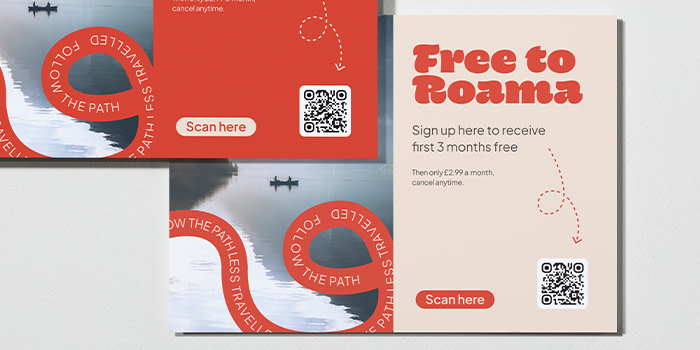
If your QR code is going to be displayed outside, Clear Stickers are your best bet. With a matte finish, they’re weatherproof and waterproof for up to 6 years, and if you’d like to add a bit of glitz they’re also available in Gold or Silver Metallic too.
Coated Paper Stickers are a great option for indoor environments, plus they’re PVC free and FSC certified. With a matte finish, Coated Paper Stickers are waterproof, tear resistant and have a semi-gloss finish perfect for scanning QR codes.
Creating your QR code with MOO
When you’re creating a design online, our MOO QR code generator lets you create and add a custom QR code directly into it.
If you’re using one of our customisable templates, you can also use our QR code tool (just make sure there’s an image placeholder in the design). The good news is, it works for all of our print products!
Now you know everything, from what QR stands for to how to make a QR code. Got your fill of QR code ideas? Create your own with our QR code generator when you design your MOO products online.
Or simply fill out this form, and one of our team members will be in touch shortly.
Keep in touch
Get design inspiration, business tips and special offers straight to your inbox with our MOOsletter, out every two weeks.
Share the post
Keep in touch
Get design inspiration, business tips and special offers straight to your inbox with our MOOsletter, out every two weeks.


