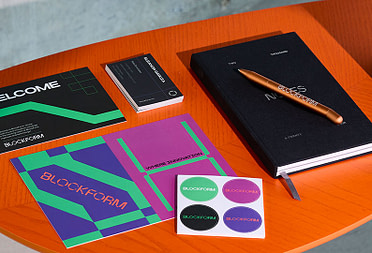
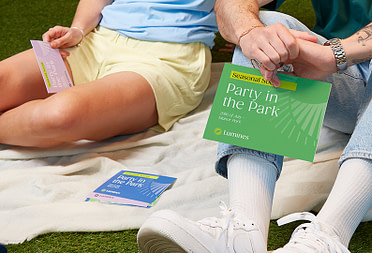
Thicker than your average card, Original Business Cards set a new standard for “standard” business cards.
Add extra dazzle, shine and texture. With special finishes like Spot Gloss, Gold Foil and Silver Foil.
Great quality AND great value. Whether in gloss or matte, our entry-level Postcard paper packs a punch.
Turn heads by adding touchy-feely Gold or Silver Foil to your Postcards. Try it on text, photos, your logo – anywhere!
Just the right amount of shine with a smooth matte finish. Meet our luxuriously understated Metallic Stickers.
Feel-good Stickers. Uncoated, plastic-free and 100% recyclable. They’re smooth to the touch, durable and easy to write on.
Make your brand stick – with Vinyl, Metallic, feel-good Matte Paper, or waterproof Coated Paper Stickers. Perfect for packaging, labels and more.
Make your ideas fly. With double-sided, full color Flyers. Available in Small, Square, Long, Half Page and US Letter
There’s quality. And then there’s Luxe. Extra-thick, extra-fancy Luxe Notecards make your message unmissable.
Recycled materials. Smooth, easy writing. Designed to be used and loved – and finished with your logo.
Bestselling designs. Clever features. Greener materials. This is Drinkware that’s made to last, and ready to brand.
Spiral binding. Weatherproof. Cloud-connected. Meet the new range of notebooks you’ll want your logo ALL over.
Our new Enterprise plan offers the biggest discounts, and our most hands-on support to make complex orders simple.
Premium print is just the start. Our new plans help all types of business get more support, services and savings from MOO.
These businesses unleashed the power of custom print and branded merch. Uncover the success stories of brands that grew with MOO.
Get a feel for MOO with a free Business Card sample pack. Touch the premium paper, marvel at the eye-catching finishes and find what works for you.
The Drop
Discover the perfect marketing materials to bring your outdoor event to life.
What it is. Why it matters. And how to do it right.
At your next trade show event, have all eyes on you for all the right reasons.
Get a sneak peek of 7 products available through our offline offering.
Find all the tips and tools you need to make unforgettable IRL impressions.
Build a cohesive product identity through clever naming and premium packaging.
Discover how to design Business Cards as unique as you and make that first impression unforgettable.
From loyalty cards to hang tags, here are a few ways to use our Business Cards differently.
Discover creative, practical tips for onboarding new staff and creating engaged employees.
Why are welcome packs so important – and what should you put in them?
Looking to engage your team? Here are seven ideas to get everyone motivated this summer.
Here’s how to pull off an outstanding event, even when your budget is limited.